
Phone guide
How to get a second phone number for business on your iPhone
When someone recommends your business to a neighbour, which number do you want them to pass on? A second phone number gives customers a way to reach you on the iPhone you already carry. You can put it on your website and use it when you call back.
A second SIM gives you a work line in Apple’s Phone app. Another option is a business phone app such as KiwiPhone. You can answer the work number yourself or let KiwiPhone AI Receptionist answer questions from your website and take a request while you’re busy.
Add a second line to Apple’s Phone app
A second SIM suits someone who wants to answer their own business calls. Ask your carrier which plans work on your iPhone. An eSIM is a SIM your carrier installs digitally. Choose a plan with a phone number that can make and receive voice calls. A data-only travel plan won’t give customers a number to ring.
Once the plan is active, label the lines Personal and Business in Settings. Pick the line you want to use by default for new contacts. When someone you know becomes a customer, check their contact card too. Your iPhone normally remembers the line you last used to call them.
To ring a new customer, enter their number on the keypad. The line at the top shows which number you’re calling from. Tap it if you need to switch. Apple’s illustrated guide to using two lines
Use an app when you need help answering
Customers can ring your KiwiPhone number from an ordinary phone. On your end, the call comes through the app over Wi-Fi or mobile data. Your current SIM still handles personal calls.
During setup, give KiwiPhone your website and check the details it finds. Say you repair bikes. If customers regularly ask whether you collect bikes for repair, make sure your collection area is in the business details. You can try a practice call to hear how KiwiPhone AI Receptionist answers that question.
Choose ‘Ring me’ when you’d like the first chance to answer. KiwiPhone can pick up a missed call while you have AI pickups available. For a stretch of work when you know you’ll have your hands full, choose ‘AI answers’ so KiwiPhone can take those calls straight away.
From a missed bike repair enquiry to a callback
Imagine you’re fitting a wheel when a customer rings the business number. They ask, “Do you collect from Riverside? I’ve got two bikes that need their brakes checked.” Your website lists Riverside, so KiwiPhone can answer the collection question. When the customer asks about Saturday, KiwiPhone takes the request for you to follow up.
What you see when you put the tools down
Open the call in History. You can read the transcript to see what the customer said about the brakes. The follow-up task gives you a place to pick up their request once you’ve checked your Saturday diary.
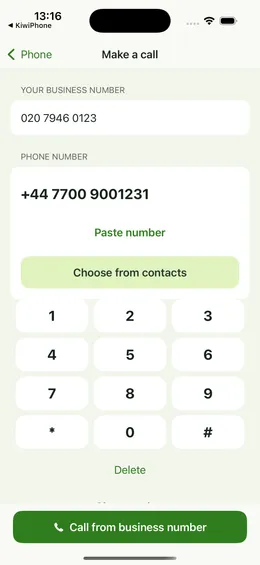
With KiwiPhone Pro, tap the customer’s number and choose ‘Call from business number’ to make a domestic callback. You can agree a collection time yourself. The customer sees the work number, so the next time a bike needs attention they know where to ring.
On Free, calling back from your personal number opens Apple’s Phone app after you confirm. The customer can see your personal caller ID. If you want all your work callbacks to come from the KiwiPhone number, you’ll need Pro. Work out the monthly cost of AI answering
Check caller ID before putting the number on your website
Once your line is active, borrow a second phone or ask a friend to help. Allow time to make a call in each direction.
- Ask your friend to ring the business number as a new customer would. Answer it yourself to check where it rings. If you’ve set up AI answering, let them try again with a question from your website and a request for a callback.
- Call them back from the line you plan to use for work. On a second SIM, check the line on the keypad. In KiwiPhone, use the business calling option on Pro.
- Have your friend open the call details on their phone and read the digits back. A saved contact name can hide which number rang. Compare those digits with the number you plan to give customers.
- If your personal number appears, check which line you used and repeat the callback. Then ring your work number from the other phone’s recent calls. You’ll hear what a returning customer hears.
Give customers the new number
Start where new enquiries reach you. If most callers find you on Google, update the phone number on your Business Profile and your website once you’ve tested it. Open the site on your phone and tap the call button to check the number it dials.
KiwiPhone provides a new number. If your personal number is already on your van, you can introduce the work number as you speak to regular customers. Ask them to save it under your business name. If keeping an existing business number is essential, ask providers whether they can transfer it and what the transfer would mean for your current plan. Compare business phone apps